
Using canvas view
You can switch to the canvas view to get a clear, visual representation of the hierarchy and relationships between agents, making it easier to review, create, and updates the multi-agent topologies.
To switch to canvas view:
-
In the Navigation pane, expand AI agents, and then click Agents.
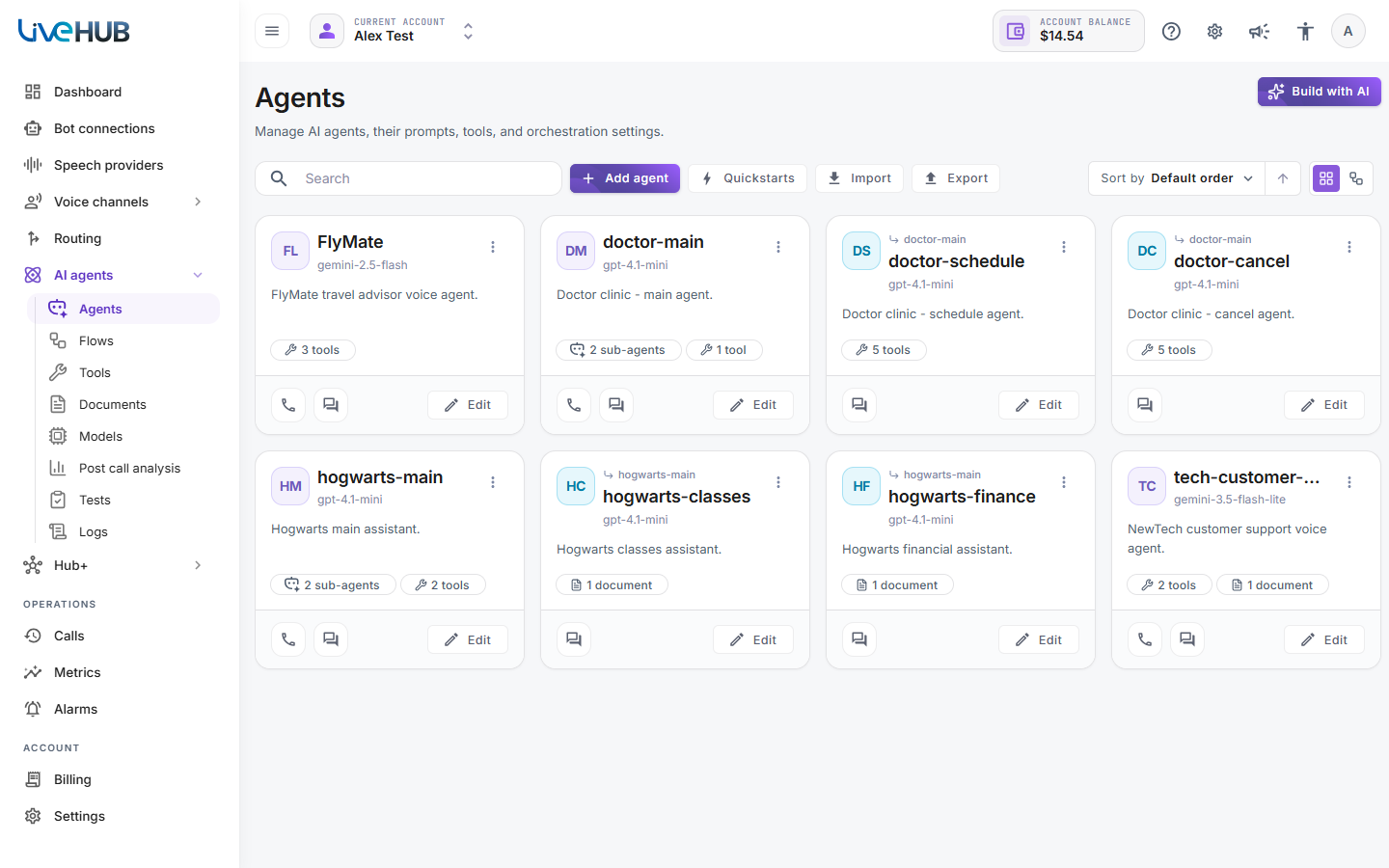
-
On the top right of the screen, click the Canvas view icon.
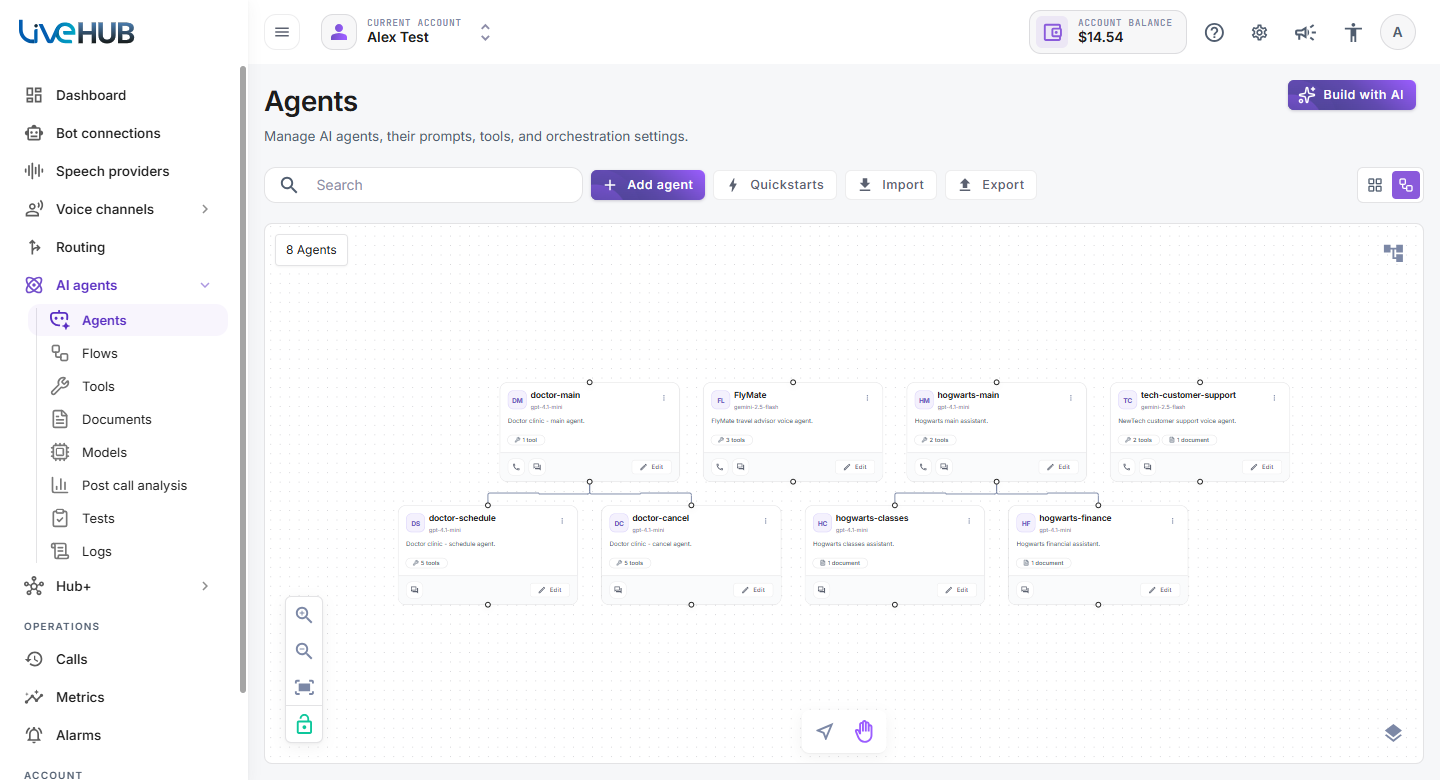
-
To switch back, click the Cards view icon next to it.
Canvas view allows you to create, modify and delete agents in the same way cards view does. It also allows you to easily create and update multi-agent topologies by dragging connections between the agents’ cards. Connect the anchor point at the bottom of the parent agent’s card with the anchor point at the top of the child agent’s card. This will automatically update the Sub agents table in the parent agent.
Use zoom icons
 /
 or mouse scroll wheel to zoom in / out.
Click on the empty canvas space and drag the mouse to move the canvas.
Use the
 icon to automatically re-arrange cards on the canvas.